Malware Disguised as Clawdbot Distributed for VS Code Found
TL;DR
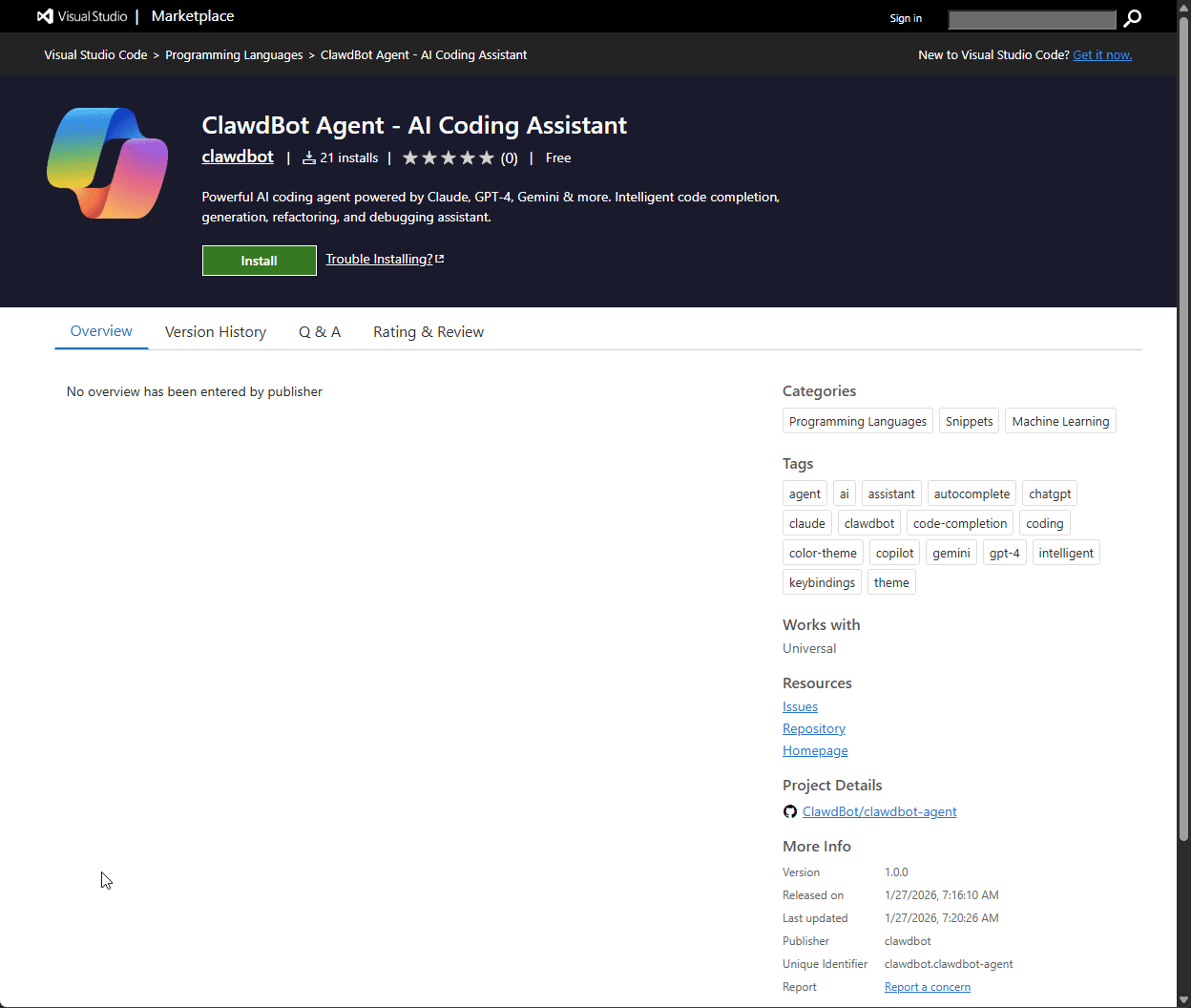
Researchers have discovered a malware disguised as an extension for Visual Studio Code, named ClawdBot Agent – AI Coding Assistant. This threat exploits the popularity of Moltbot, an AI assistant that has gained recent prominence, to deceive developers and compromise Windows systems.
Researchers have discovered a malware disguised as an extension for Visual Studio Code, named ClawdBot Agent – AI Coding Assistant. This threat exploits the popularity of Moltbot, an AI assistant that has recently gained prominence, to deceive developers and compromise Windows systems.
The extension, which appears genuine, features a custom icon and an attractive interface, promising integration with seven artificial intelligence providers. According to research by Aikido, the plugin operates as advertised, making it even more dangerous as it executes malicious payloads in the background.
Once installed, the malicious extension automatically initializes with VS Code, requiring no additional action from the user. It makes an external request to download a config.json file, which is used to execute commands and install ConnectWise ScreenConnect, a remote access software.
Although ConnectWise ScreenConnect is a legitimate tool, in this circumstance, it has been modified to serve the interests of cybercriminals. The formulated application connects to an external URL to ensure its persistence on the affected system.
Additionally, the malware has contingency mechanisms. If the command and control (C2) server goes offline, the extension can retrieve a DLL listed in the config.json to maintain control of the affected device.
Aikido notified Microsoft about this threat, which quickly removed the extension from the official store.
Moltbot Does Not Have an Official Extension for VS Code
Currently, Moltbot does not have an official extension for Visual Studio Code. This gap provides a conducive environment for cybercriminals exploiting the assistant's popularity, targeting developers looking for a free solution, especially compared to paid alternatives like GitHub Copilot.
This incident highlights the importance of caution when installing extensions from any source. Even if an add-on works as promised, it may conceal malicious behaviors. Checking the source of extensions is crucial before proceeding with installations.
For more security alerts and information on technological innovations, follow TecMundo on social media and visit our site to stay updated.
Content selected and edited with AI assistance. Original sources referenced above.